The engine that runs your photography business.
Heavy lifting inside. So simple anyone can use it.
Enquiries, quotes, signatures, jobs, crew, hand-offs and books for photo and video studios, all in one calm place.
Invite-only while Toadmaster is being tested.

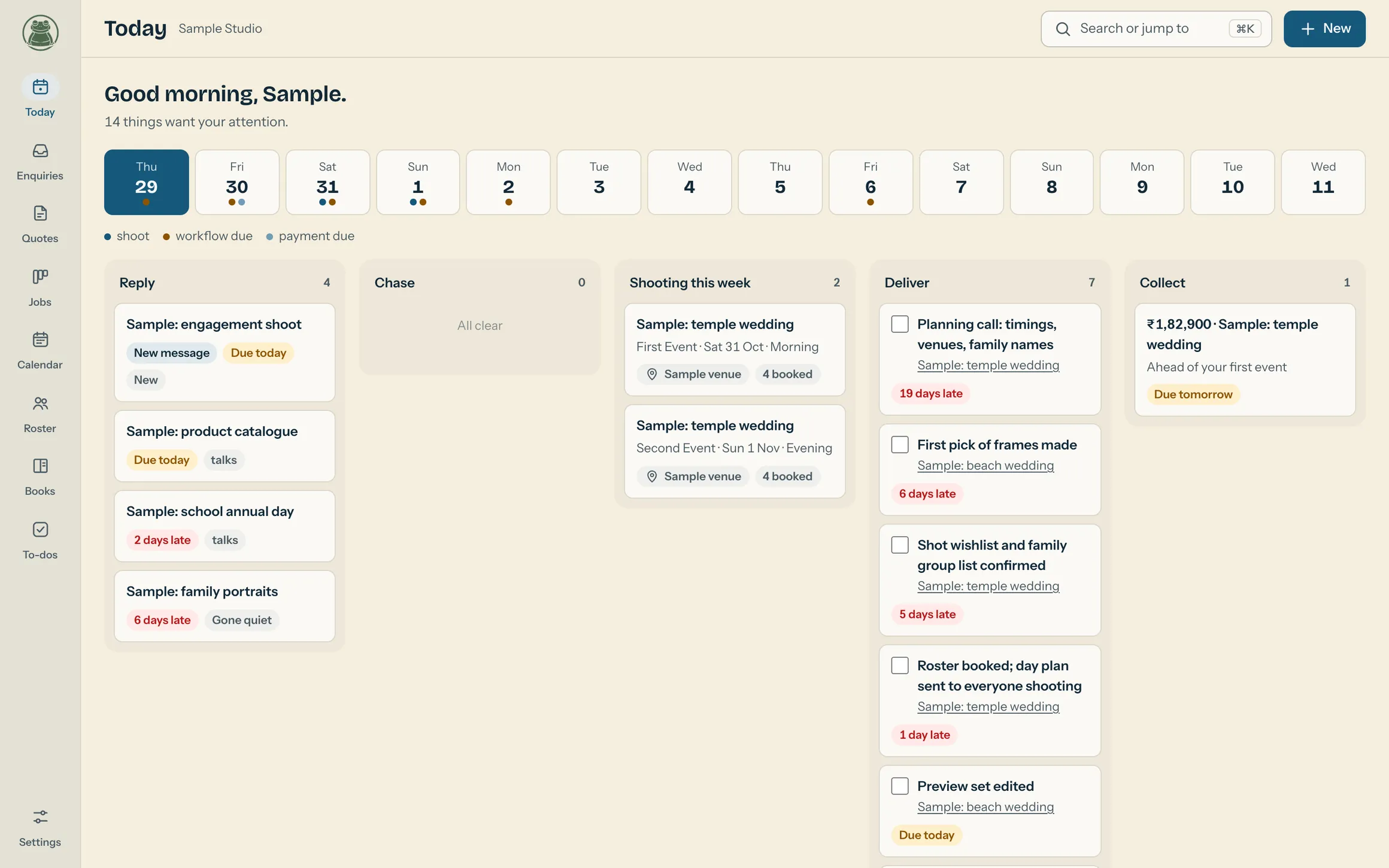
Made for studios, not sales teams.
A general CRM tracks deals and stops at the handshake. Toadmaster carries on through the shoot, the crew, the delivery and the money behind each booking.
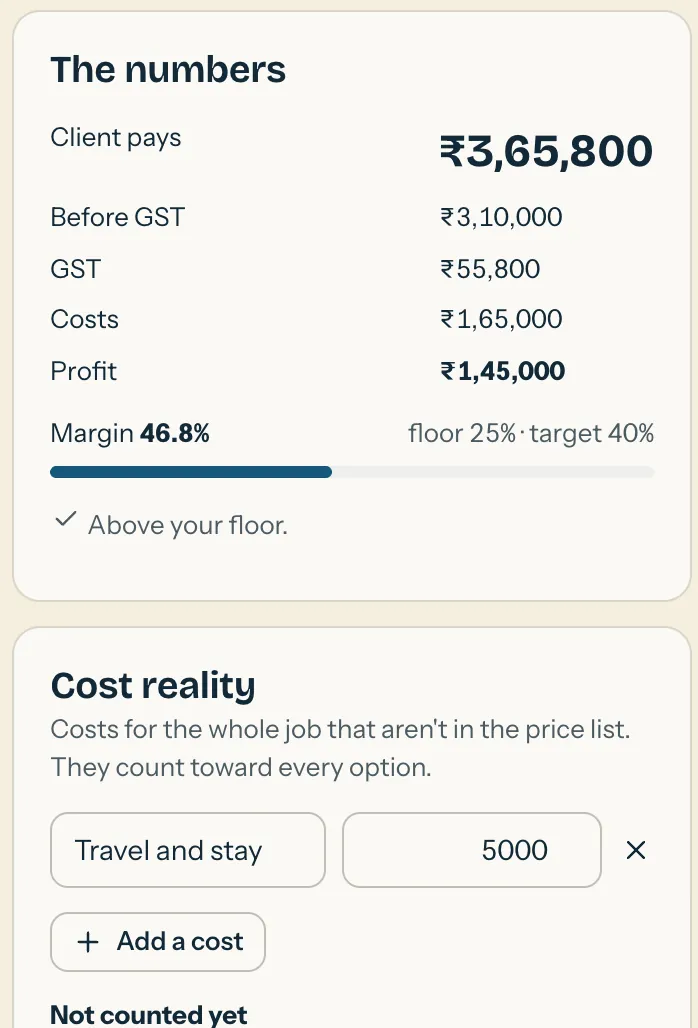
Know your margin before you send.
Each item on your price list names who does the work, and its cost is that person's usual pay from your roster. So the quote builder shows profit and margin while you type, and a margin floor stops a discount that would lose you money.
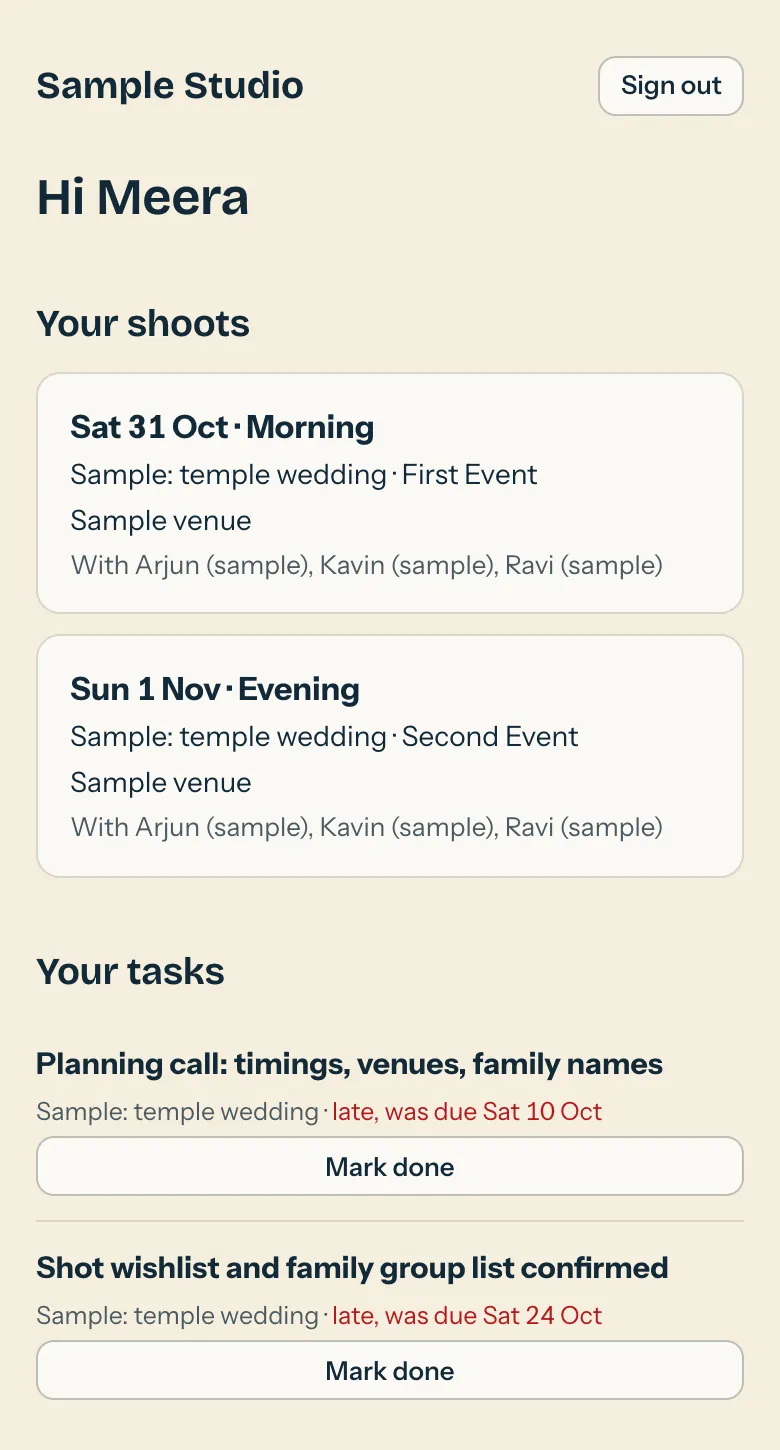
Your crew gets an app too.
People on your roster sign in on their phone with a PIN. They see their own shoots, who else is on them, and the tasks you have given them. Nothing more.
Built for how studios here work.
- Weddings with many events, each with its own date, time and venue.
- GST three ways: none, added on top, or included in the price.
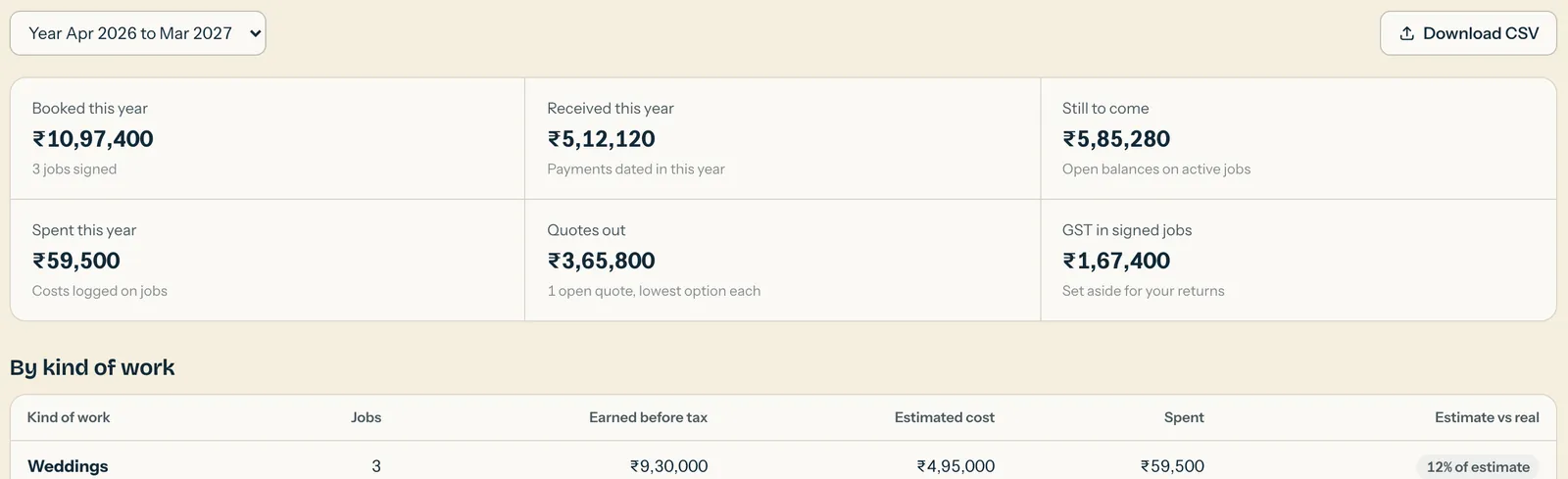
- Amounts in lakhs and a financial year that starts in April.
- Messages ready for WhatsApp, written once and reused.
- Hand-off links to any gallery or file service you already use.
One booking, start to finish.
Every step hands the next one what it needs, so nothing is typed twice.
-
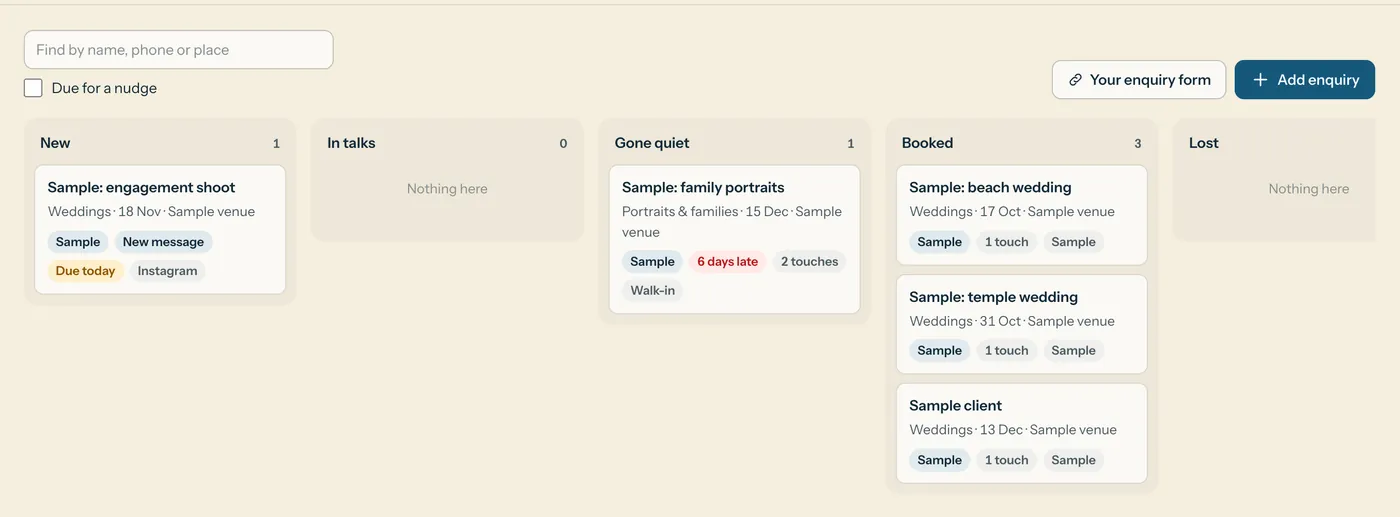
Enquiry
Leads land on one board, from your own enquiry form or added by hand. Anyone due a nudge rises to the top of Today.
-
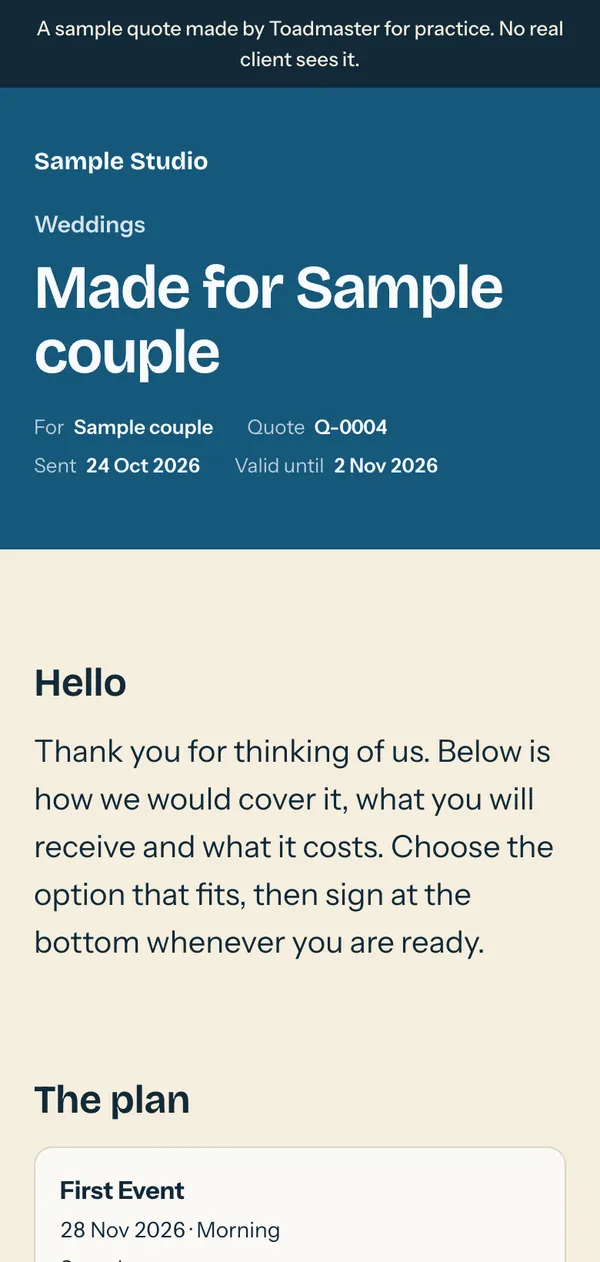
Quote
Pick the kind of work, adjust the items and share one link. You see when the client opens it, and how often.
-
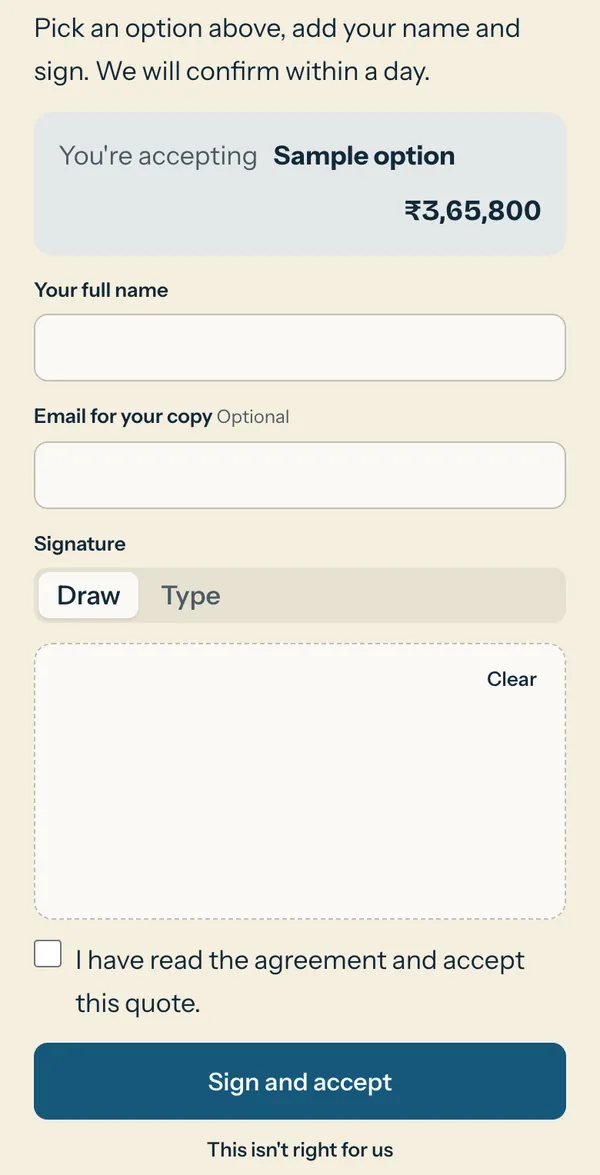
Sign-off
The client picks an option, reads the agreement and signs on the same page, by drawing or typing their name.
-
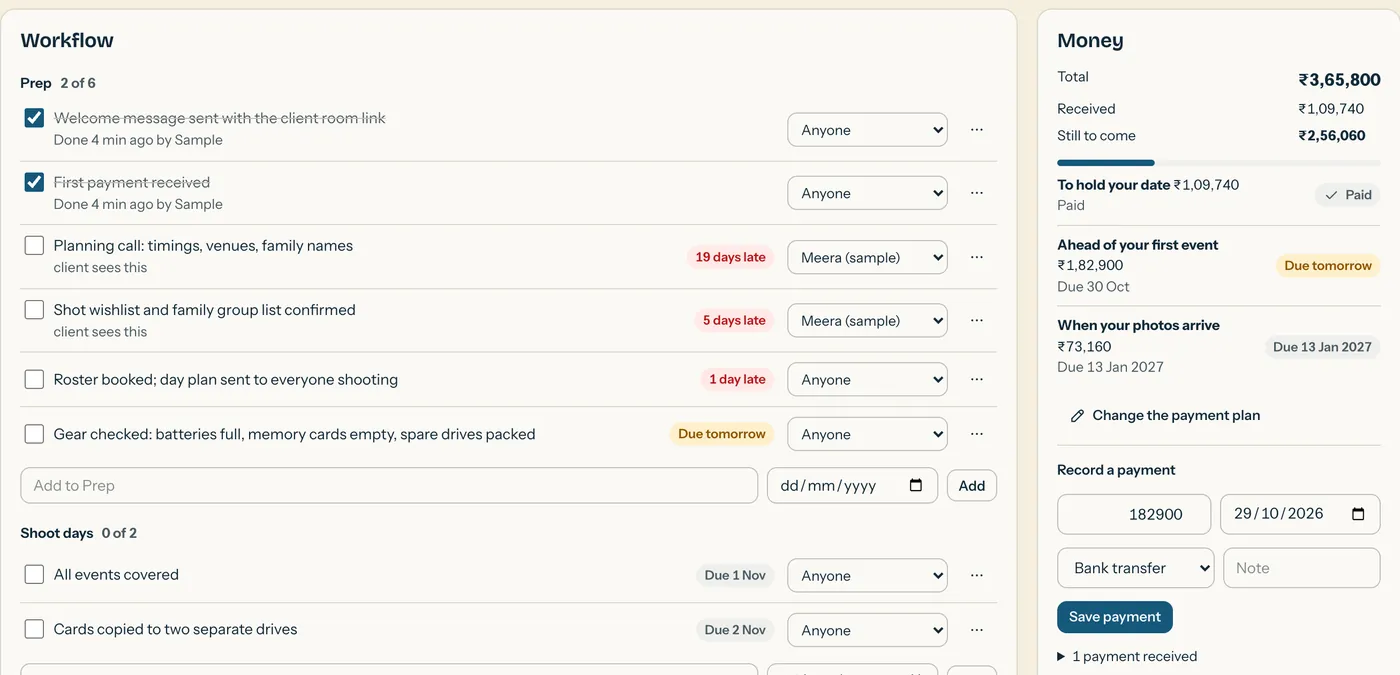
Job
Signing creates the job with its workflow, due dates and payment plan already filled in. Tick items off and assign them to your crew.
-
Hand-off
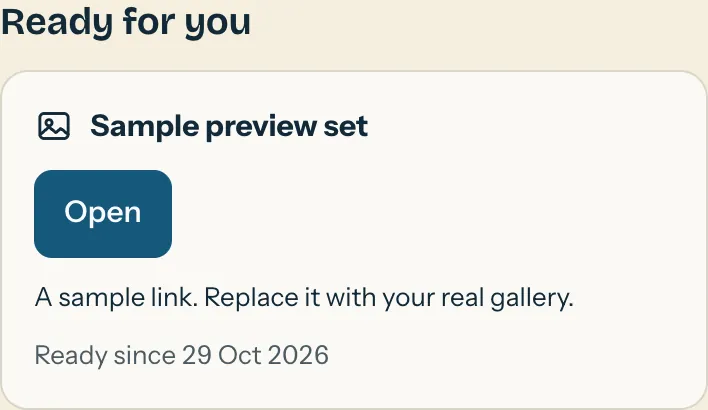
Add gallery and film links as they are ready. The client room shows each one with its access note and expiry date.
-
Books
Every job's money rolls into the year: what was booked, received and still to come, and what each job really made.

Quotes your clients enjoy opening.
Three layouts, each in your colours with your logo and photos. Turn sections on or off, change their order and rewrite any line. Clients read them on their phones, choose an option and sign right there.
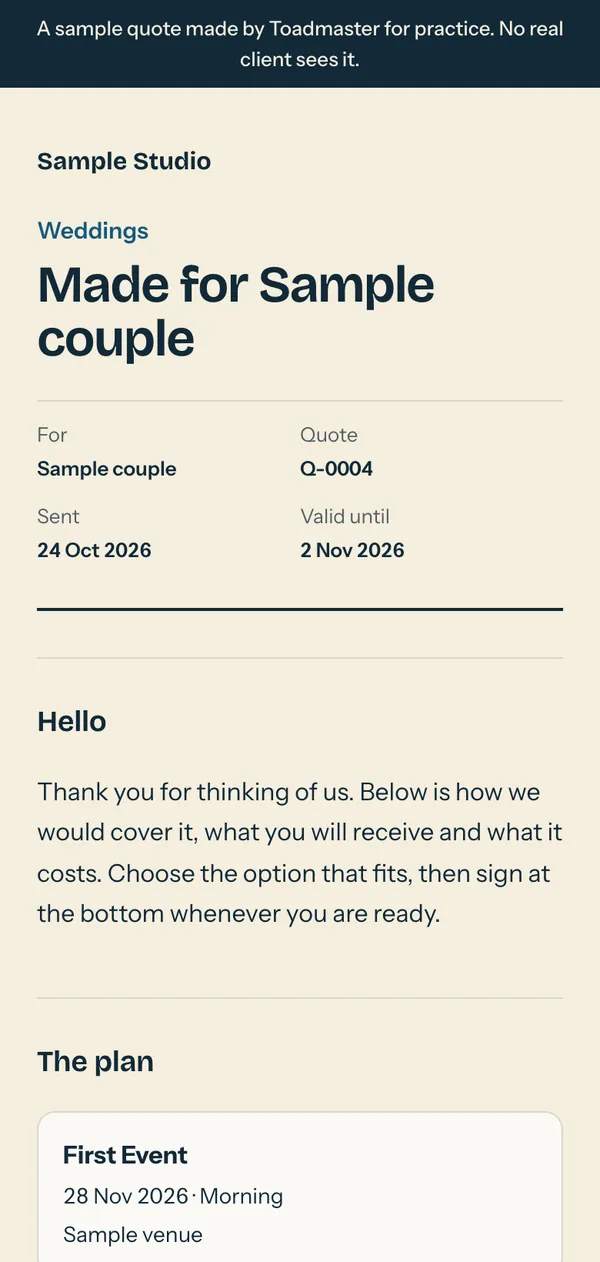
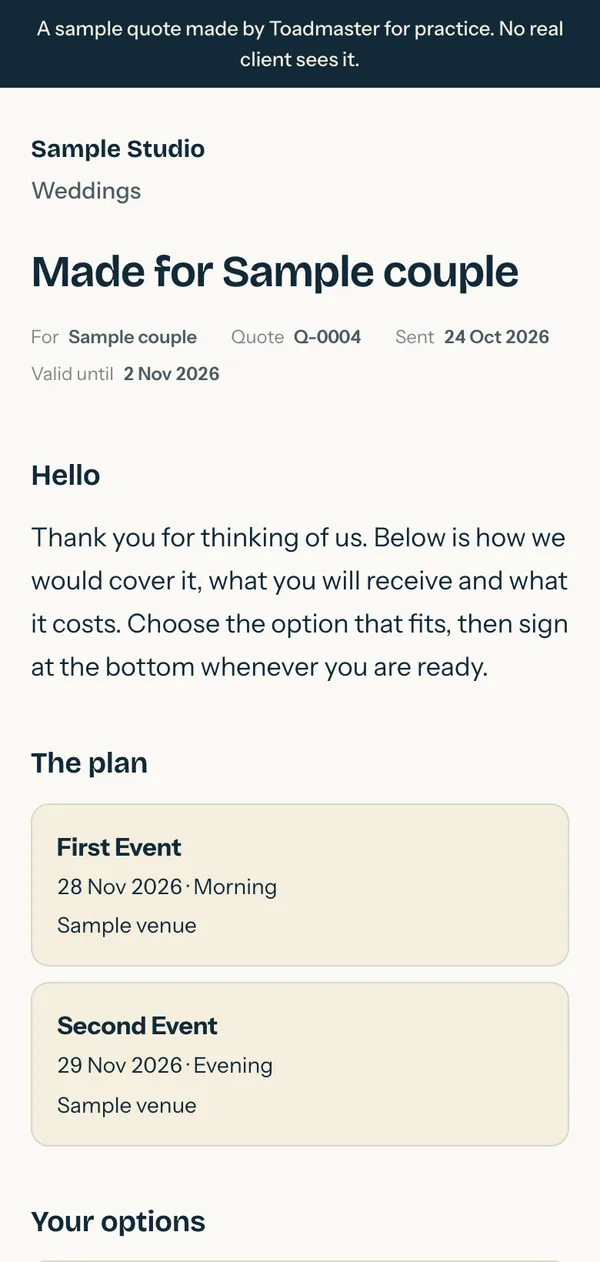
Once a client signs, that version is locked with a fingerprint of exactly what they agreed to. Later edits never change it.
Prices that know what they cost you.
Set prices once for each kind of work. The quote builder does the sums, and tells you when a number doesn't add up.
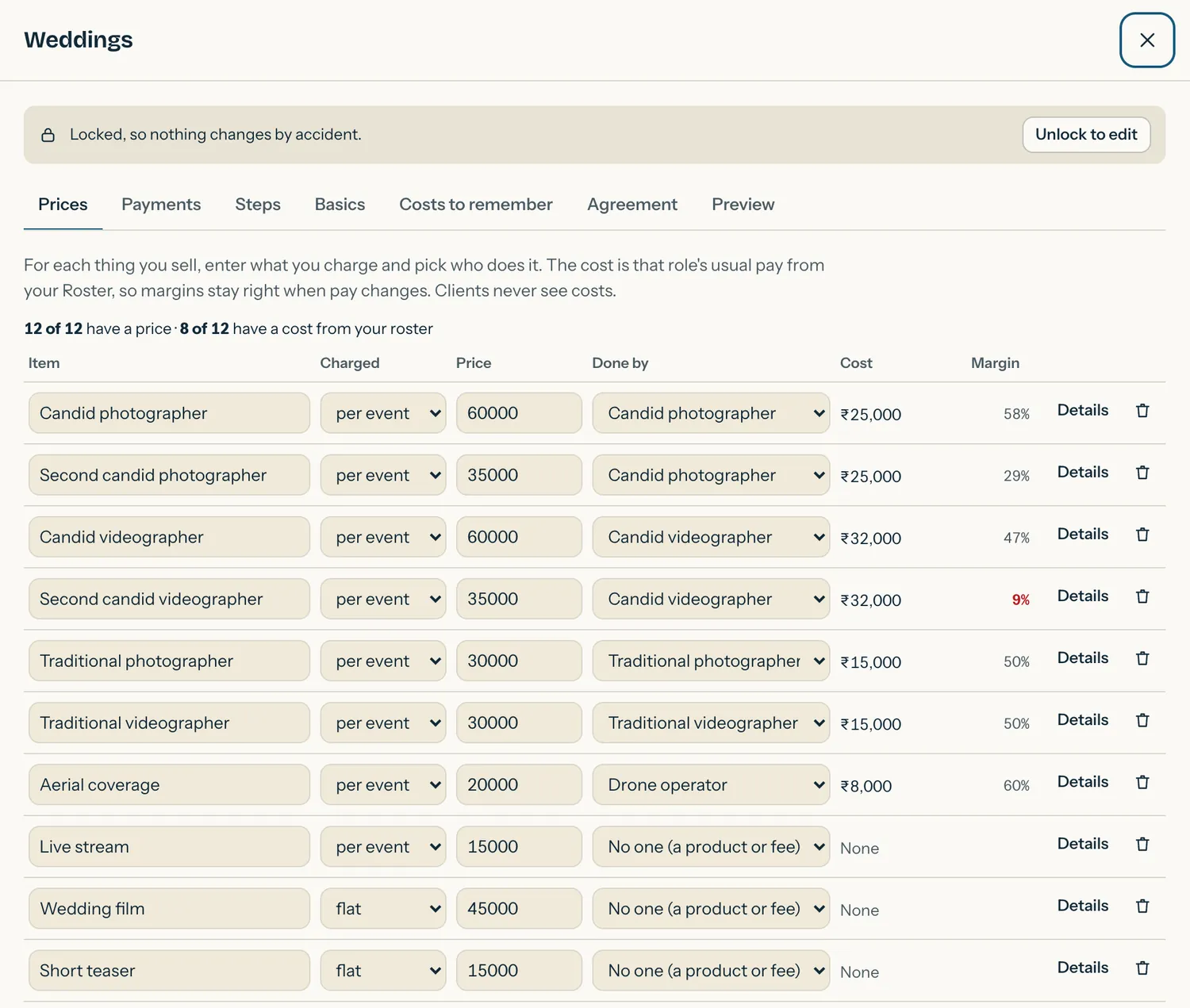
Costs follow your roster
Change someone's pay and every price that uses their role shows the new margin. Margins below your floor turn red.
Reminders for forgotten costs
Travel, extra hands, album printing: each quote lists the costs you haven't counted until you add them or mark them not needed.
Estimate next to reality
Books puts each job's estimated cost beside what you really spent, so next season's prices start from facts.
Your colours, not ours.
Choose one of six palettes. It dresses the app for your team, every quote, the client room and your enquiry form.
- Forest
- Bloodstone & Sage
- Emerald & Cream
- Wine & Sand
- Merino & Venice
- Olive & Beige
What it doesn't do yet.
Better to hear it now than after you've moved in.
- No tax invoices.Quotes show GST properly, but invoices still come from your accounting software.
- No online payments.You record payments as they arrive, and the balance updates.
- No automatic messages.Toadmaster writes the message; you choose when to send it.
- No calendar sync.Shoots and due dates live in Toadmaster's own calendar.
Safe by default.
Client details and money deserve care, so these are built in rather than added on.
- Your studio is walled offEach studio's data is kept apart from every other studio's.
- A login for each personTeammates get their own password and only the parts you allow.
- Two-step sign-in, your callOff, optional or required for everyone, using any authenticator app.
- Private client linksEach link carries a long random key and shows only that client's own quote or room.

Let the toad do the heavy lifting.
Toadmaster is invite-only while it's being tested. Already have an invite? Sign in here.
Sign in